
JAMB verification on NELFUND fails for a short list of reasons: a JAMB number that does not match JAMB’s record, an admission that is not on JAMB’s record, a name mismatch between your JAMB record and your other records, or a verification service that is temporarily unavailable. Work through that list in order, and do not keep resubmitting the same details hoping for a different result.
JAMB verification is the portal-side check in the two-check verification system: the portal matches your JAMB number and NIN against your admission. When it fails, the failure is specific, even if the portal’s message is terse.
The causes, in order of likelihood
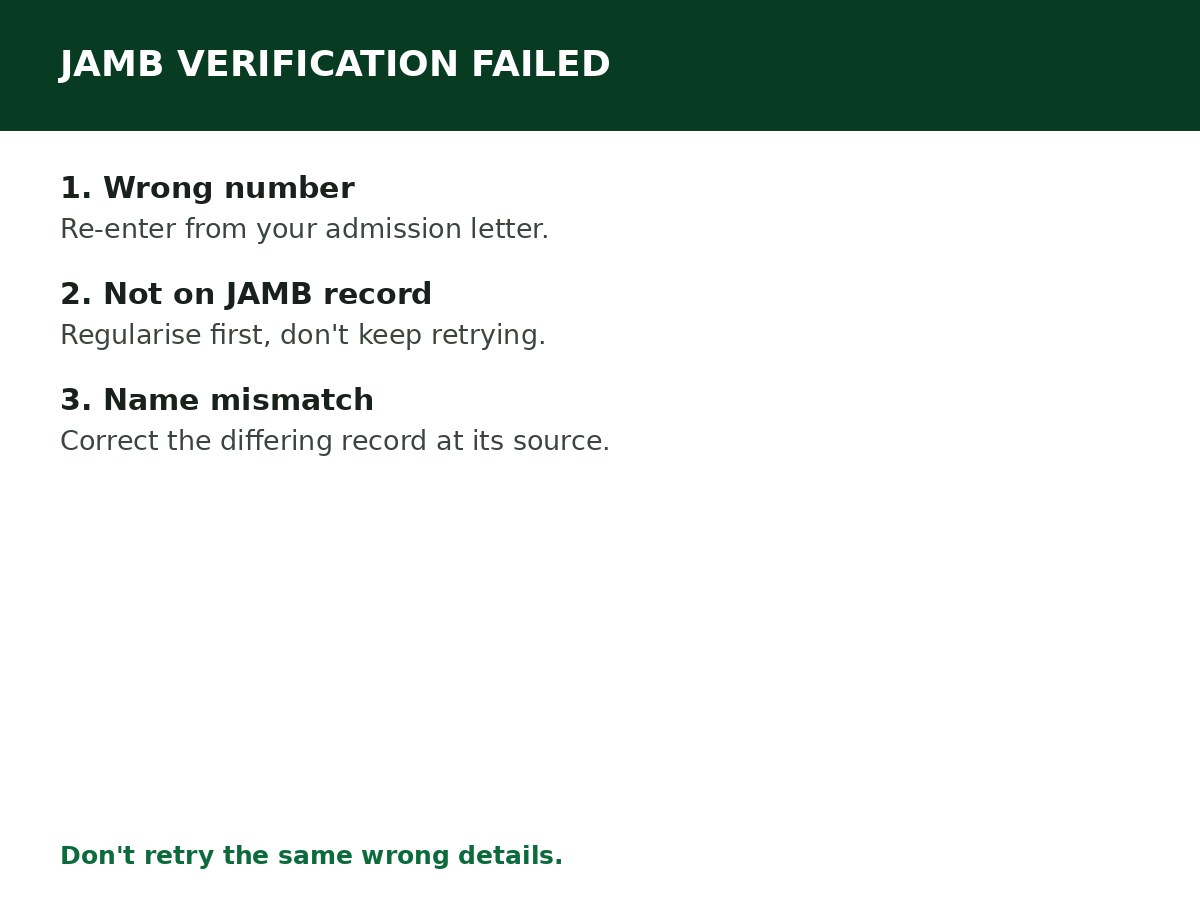
1. Wrong JAMB number entered. A transposed digit, a missing digit, or a number copied from a document other than your JAMB admission letter. Re-enter it from the admission letter itself, digit by digit, and check it twice before submitting.
2. Admission not on JAMB’s record. If you were admitted without JAMB involvement — for example, directly by an institution, or through a part-time/sandwich route that was never regularised — JAMB has no admission to match against. The portal cannot verify what JAMB does not hold. In that case, the fix is JAMB regularisation first — see the JAMB regularisation guide — not repeated NELFUND attempts.
3. Name mismatch. Your name on your JAMB record differs from your name on your NIN or your school records — a spelling difference, an extra initial, a different name order. Verification compares records, and a mismatch fails the comparison. Correct the differing record at its source (NIMC for NIN, institution for school records, JAMB for JAMB records) — see the correction guide for the field-by-field route.
4. Verification service temporarily unavailable. Identity verification can fail when the verification service itself is down or slow, even with correct details. This is the only cause where waiting and retrying later is the right move — and it is also the cause most often assumed when the real cause is one of the first three. Rule out the first three before assuming this one.
5. Wrong identifier type for your stage. Returning students sometimes enter a matric number where the portal is asking for JAMB verification, or skip the JAMB step because they have a matric number. If the portal displays a JAMB verification step, follow it — having a matric number does not automatically skip it, as the returning-student guide warns.
Solutions, step by step
Step 1: Re-enter your JAMB registration number from your admission letter, exactly. Save any error message the portal shows.
Step 2: Compare your name across JAMB, NIN, and school records. If they differ, correct the differing record at its source, then retry.
Step 3: Confirm with your institution that your admission is on JAMB’s record and that your institution’s records match it. If your institution confirms your admission is not on JAMB’s record, start regularisation — do not keep attempting NELFUND verification in the meantime.
Step 4: If your details are correct and your admission is on JAMB’s record, but verification still fails, wait and retry once later (to rule out a temporary service issue), then contact NELFUND support with the exact error message, your application reference, and confirmation that your details and admission are correct. Do not repeatedly change your details to force acceptance — guides warn this does not work.
Step 5: Do not submit a duplicate application, create a second account, or pay anyone to “pass” JAMB verification for you. Verification is a record match, not a hurdle someone else can clear on your behalf.
Related Guides & Next Steps
- How to Correct Information on NELFUND
- How to Verify Your Student Status on NELFUND
- JAMB Regularisation: Requirements and Process
- NELFUND Student Loan Requirements
- NELFUND Student Loan 2026/2027: Complete Guide
Frequently asked questions
My JAMB number is correct, but verification still fails. What is wrong? Either a name mismatch, an admission not on JAMB’s record, or a temporary service issue. Work through the list above in order — do not assume the service is at fault before ruling out the record causes.
Can I apply for NELFUND without JAMB verification? No, not if the portal requires it for your application. JAMB verification is part of the student-status verification that must pass before disbursement.
I was admitted without JAMB. Can I still get NELFUND? Not until your admission is on JAMB’s record. Regularise your admission through JAMB first, then apply for NELFUND once the record exists and is verifiable.
How many times can I retry JAMB verification? There is no published retry limit in the guides reviewed, but repeated identical attempts do not change a record mismatch. Correct the record, then retry — do not retry the same wrong details expecting a different outcome.
Sources and last update
- JAMB verification failure causes and solutions (wrong number, admission not on record, name mismatch, temporary service unavailability, identifier-type error), compiled from NELFUND guides and the verification structure across the NELFUND cluster.
- Regularisation link is deliberate: admission-not-on-record is a JAMB problem with a JAMB solution, not a NELFUND portal problem.
Last updated: 24 October 2026. Guide — review every session and on every NELFUND portal update.

Written by Olaitan Ilori
Olaitan Ilori is the founder and lead researcher at CareerMedal. He provides verified, practical guides on Nigerian tertiary admissions (JAMB, CAPS, Post-UTME), NELFUND student finance, NYSC service-year survival, and early-career job placement.
View all guides by Olaitan Ilori →