

Correcting information on NELFUND means fixing it at the source that NELFUND verifies against — NIMC for identity, your bank for BVN/account details, JAMB for admission details, your institution for enrolment records — and then letting the corrected record reflect on the portal. Typing a correction into the portal alone, while the source record still says the old thing, does not correct anything: the next verification will fail again.
This guide is the companion to the update guide. Updating is for details that changed (a new bank account, a new phone number). Correcting is for details that were wrong from the start (a misspelled name, a wrong JAMB number, a mismatched date of birth). The routes differ, and confusing them is why corrections stall.
First: find out what is actually wrong
Before you correct anything, establish the exact error:
- Read the portal’s notification or rejection reason exactly. Do not guess from a friend’s experience — different applicants encounter different verification issues, and the portal’s wording for yours is the starting point.
- Compare every record side by side: NIN slip, JAMB admission letter, institution records, bank account details, and what the portal shows. Find the one record that differs from the others.
- Correct the differing record, not all of them. If your NIN says “Adebayo” and your school record says “Adebayor”, one of them is wrong — find out which, from the source document (birth certificate, admission letter), and correct that one.
Corrections by field
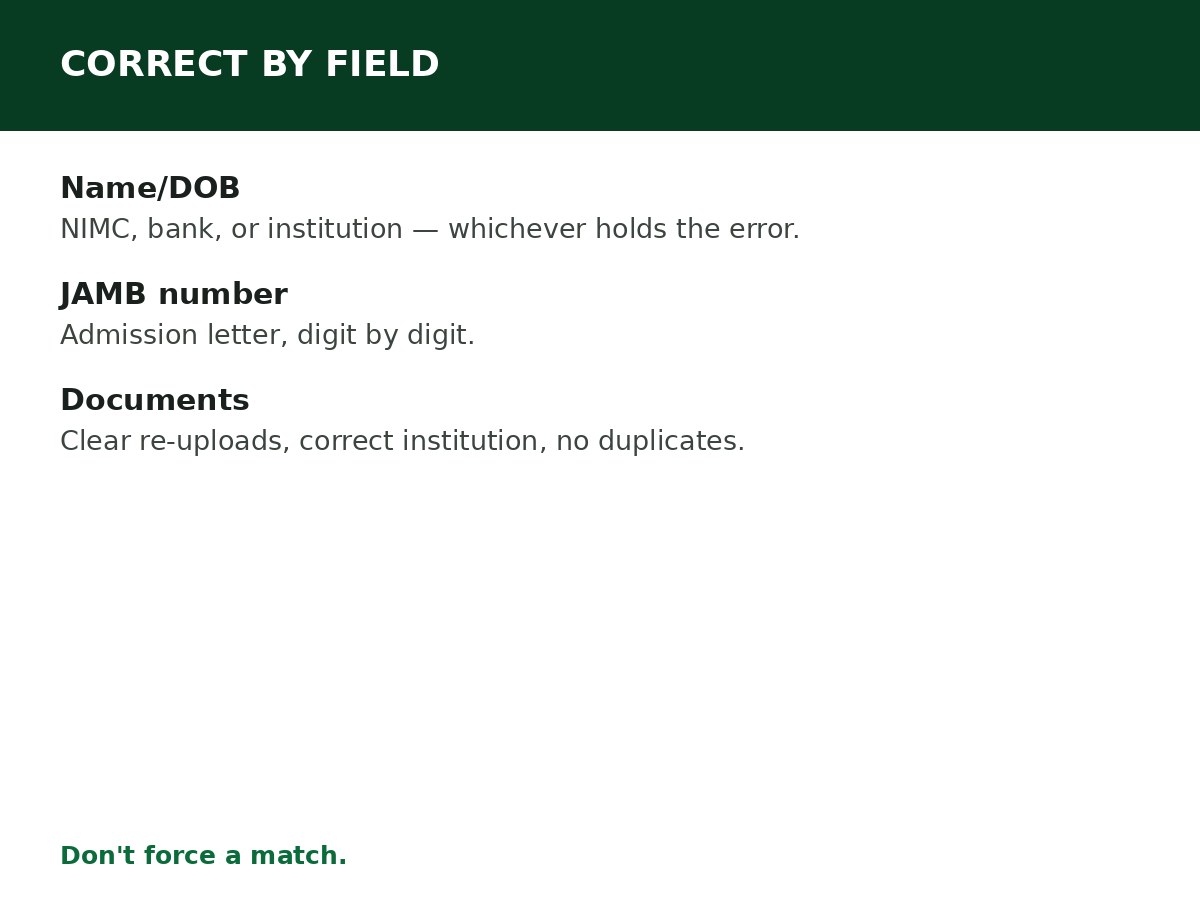
Name mismatch (NIN vs JAMB vs school records vs BVN): Correct the spelling at the authority that holds the wrong record — NIMC for NIN errors, your bank for BVN/account-name errors, your institution for school-record errors. Use a single consistent name across all records afterwards. This is the commonest correction, and the one most often attempted backwards (editing the portal instead of the source).
Date of birth mismatch: Correct it at the source authority (NIMC for NIN, institution for school records). Confirm dates of birth match across all documents before resubmitting — a date-of-birth mismatch is a verification failure, not a minor inconsistency.
Wrong JAMB registration number: Re-enter it from your JAMB admission letter, digit by digit. If the number on your admission letter itself is wrong, or your admission is not on JAMB’s record, that is a JAMB/institution correction — see the JAMB regularisation guide if your admission is not on JAMB’s record at all.
Wrong matriculation or admission number: Confirm it against your student ID card, your institution’s student portal, or other official academic records, then correct it on the portal. If your institution’s records hold the wrong number, ask the institution to correct its records first.
Wrong institution selected: If you selected the wrong institution, correct the selection to the institution on your admission and enrolment records — and confirm that institution has uploaded your records. Selecting a different institution to work around a missing upload does not verify you.
Wrong or blurry documents: Re-upload a clear, legible scan. Blurry admission letters, wrong matric numbers on uploads, and missing documents are all listed among the commonest causes of delay or rejection. Check the file format and size the portal accepts before re-uploading.
Wrong bank account or BVN: Correct your bank details at your bank if the BVN or account name is wrong, then update the portal profile with the corrected details. Confirm the name on the bank account matches your other records exactly.
After you correct: what to do on the portal
- Log in and update the corrected field on the portal, if the portal allows it for that field.
- If the field is verified against an external record, wait for the corrected source record to be available to the portal, then retry verification — do not repeatedly change portal details to force a match, as guides warn this does not work and can complicate the application.
- Save any error message or notification if verification still fails, and request assistance from NELFUND support or your institution’s NELFUND desk with the exact error, your application reference, and what you corrected.
- Do not submit a duplicate application to “start fresh” with corrected details. A duplicate complicates verification; the correction route is the fresh start.
Related Guides & Next Steps
- How to Update Your NELFUND Information
- How to Verify Your Student Status on NELFUND
- NELFUND Application Rejected: Possible Reasons
- NELFUND Student Loan Requirements
- NELFUND Student Loan 2026/2027: Complete Guide
Frequently asked questions
I corrected my name at NIMC. How long until NELFUND reflects it? It depends on when the corrected record becomes available to the portal’s verification. Retry verification after the correction is confirmed at NIMC, and contact NELFUND support if a correct record still fails verification after a reasonable wait.
Can I correct information after my application was rejected? It depends on the rejection reason and the rules for your application period — see the rejection guide. Some rejections are correctable and re-appliable; others (for example, ineligibility) are not fixed by correcting a detail. Check the rejection notification and obtain instructions before submitting anything new.
My school says my records are correct, but the portal still fails. What now? Ask your school to confirm whether the required information was successfully verified and transmitted to NELFUND, then contact NELFUND with your application reference and the school’s response, and request an explanation. The gap is often transmission, not content.
Should I keep correcting until the portal accepts it? No. Repeatedly changing details to force acceptance does not work and can create new mismatches. Correct the source record once, correctly, then retry once and escalate with evidence if it still fails.
Sources and last update
- Correction routes (source-first rule, field-by-field authorities, document clarity, duplicate-application warning), compiled from NELFUND guides and the verification structure described across the NELFUND cluster.
- Rejection re-application is deliberately conditional — it depends on the rejection reason and the application period’s rules, as the rejection guide states.
Last updated: 24 October 2026. Guide — review every session and on every NELFUND portal update.

Written by Olaitan Ilori
Olaitan Ilori is the founder and lead researcher at CareerMedal. He provides verified, practical guides on Nigerian tertiary admissions (JAMB, CAPS, Post-UTME), NELFUND student finance, NYSC service-year survival, and early-career job placement.
View all guides by Olaitan Ilori →