
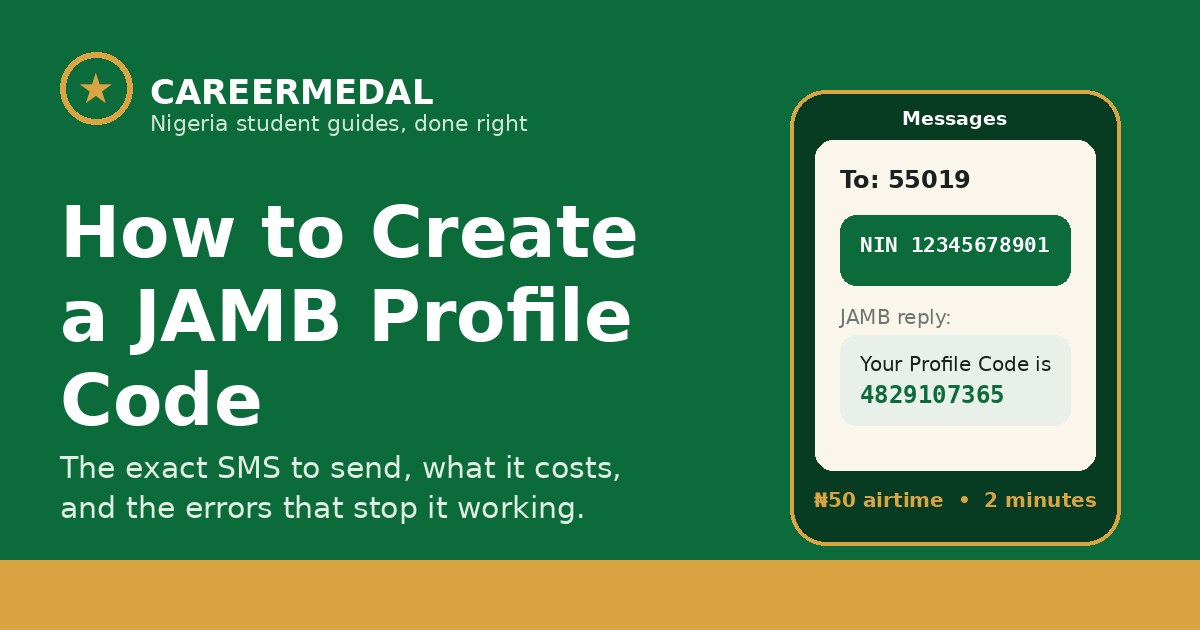
Send this text from your own phone: NIN 12345678901 — the word NIN, one space, then your 11-digit NIN — to 55019 or 66019. JAMB will reply with your 10-character profile code. Have at least ₦50 airtime on the line.
That is the whole process. Everything below is what to check before you send it, and what to do if the reply doesn’t come — because most of the stress around this step comes from one small mistake made before the SMS is even sent.
What a JAMB profile code is, in plain words
Your profile code is the number that ties you to JAMB. It connects your NIN to JAMB’s system, and JAMB uses it to pull your name, date of birth and other details directly from NIMC — exactly as NIMC has them.
You need the code before you can buy your UTME or Direct Entry e-PIN and before any CBT centre can register you. No profile code, no registration.
Two things to know now, not later:
- Once a profile code is created, it cannot be changed. If your NIMC details are wrong, they will be wrong on JAMB too.
- The phone number you use becomes tied to your profile. JAMB treats your phone number and email as your unique identifiers. They are not meant to be shared with another candidate or changed midway.
Before you send the SMS, check these 4 things
- Your NIN details are correct. Name spelling, arrangement of names, date of birth, gender, state of origin. If anything is wrong, correct it at NIMC first and confirm the correction has reflected before you generate your code. Fixing it after is a longer road.
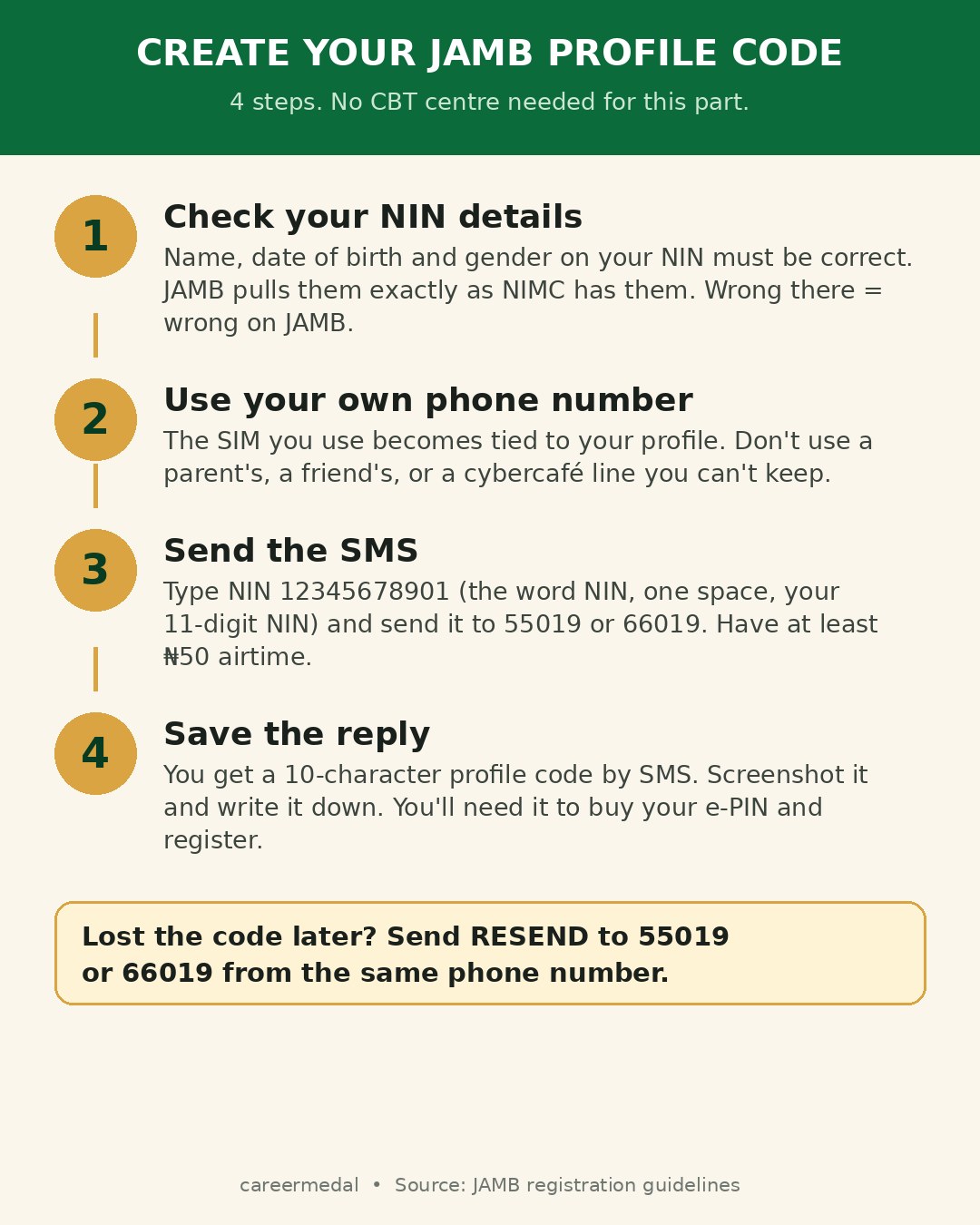
- You are using your own SIM. Not your parent’s line, not the cybercafé operator’s line, not a friend’s spare SIM. If you lose access to that number, recovering your profile gets hard.
- The number has not been used for another candidate’s profile. A number already tied to a profile will not quietly create a fresh one for you.
- You have airtime. Keep at least ₦50 on the line. Candidates get stuck on this more often than you’d expect.
How to create your JAMB profile code, step by step
Step 1: Open the messaging app on your phone.
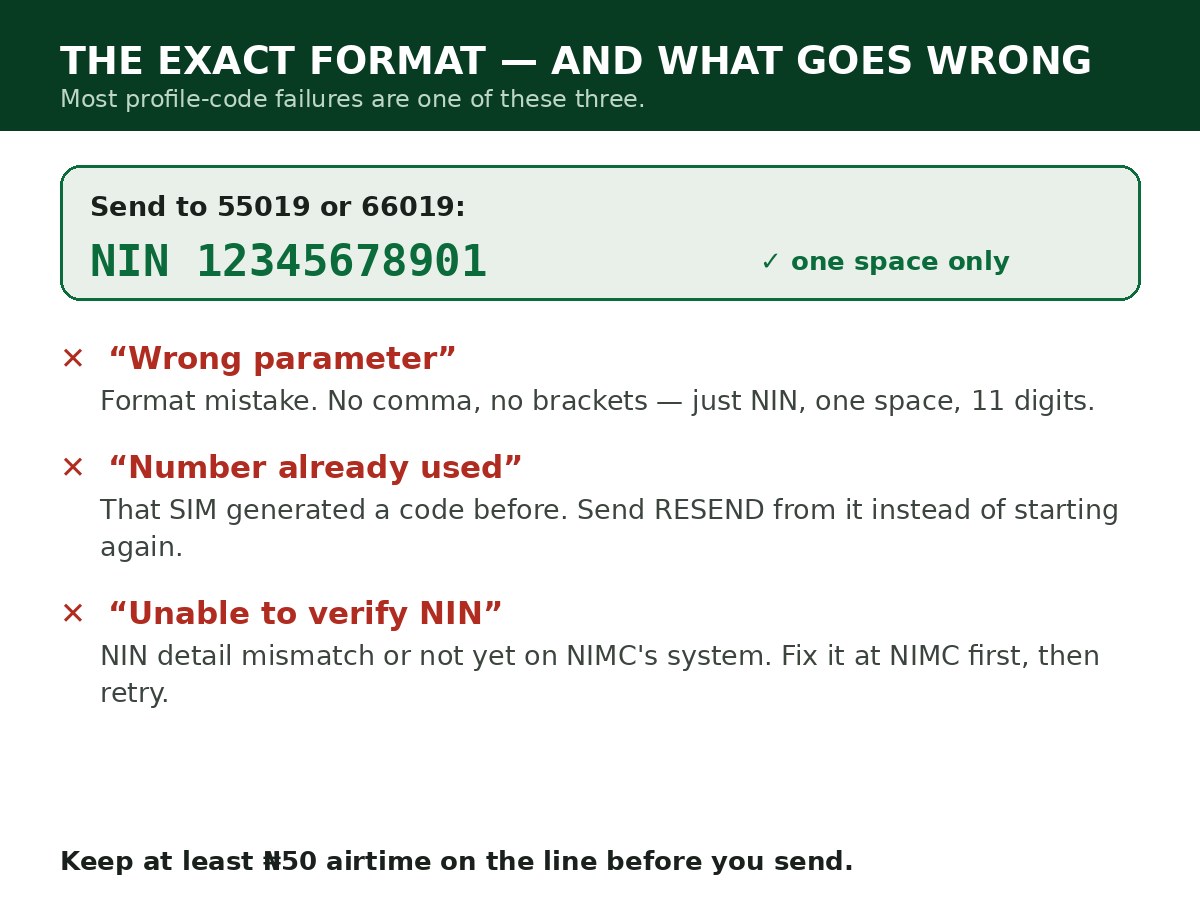
Step 2: Type the word NIN, leave one space, then type your 11-digit NIN. Example: NIN 12345678901. No comma. No brackets. Nothing before or after it.
Step 3: Send it to 55019. If that does not respond, send the same message to 66019. Both are JAMB shortcodes for this service.
Step 4: Wait for the reply SMS. It contains your name and your 10-character profile code.
Step 5: Save the code properly. Screenshot the message and also write the code down somewhere you will not lose. You will use it to buy your e-PIN, register at the CBT centre, and for later JAMB services.
If it doesn’t work: errors and what they actually mean
| Error you see | What it means | What to do |
|---|---|---|
| “Wrong parameter” / error 550/66019 | The SMS format was wrong | Resend exactly as NIN 12345678901 — one space, 11 digits, nothing else |
| “Number already registered / already used” | That phone number generated a profile code before | Don’t fight it with a new code. Send RESEND to 55019 or 66019 from that same number to get the existing code back |
| “Unable to verify NIN” | JAMB could not confirm your NIN — often a temporary network issue or a detail mismatch | Check the number you typed. Wait and retry. If it keeps failing, verify your NIN status with NIMC |
| “Record not found” | Your NIN is not yet showing on the NIMC database JAMB checks | Visit a NIMC enrolment centre to validate your NIN, then try again |
| No reply at all | Network delay, or not enough airtime | Confirm you have at least ₦50 airtime, wait a few minutes, then resend once. Don’t send it ten times in a row |
If you have tried both shortcodes, checked the format, and confirmed your NIN — and it still fails — go to a JAMB office or an accredited CBT centre with your NIN slip. Do not pay anyone who promises to “generate it specially” for you. There is no special route; there is only this one.
Already created a code before? Don’t create another one
If you registered for UTME or Direct Entry in a previous year, you most likely already have a profile code. Send RESEND to 55019 or 66019 from the same phone number you used then, and JAMB will send the existing code back to you.
Creating a second profile is how candidates end up with conflicting records. Retrieve first. Create only if you have never had one.
Related Guides & Next Steps
- How to Link NIN to JAMB Profile (The SMS That Does It)
- JAMB 2027 Registration Requirements
- JAMB 2027 Registration: Requirements, Price and How to Apply
- JAMB Subject Combination Guide for All Major Courses
- How to Check JAMB Result Online
Frequently asked questions
How much does it cost to create a JAMB profile code?
You are charged for the SMS service, so keep at least ₦50 airtime on the line you are sending from. The profile code itself is not something you buy from an agent.
Can I use my parent’s or friend’s phone number?
Don’t. The number becomes tied to your profile and is used for JAMB communication. Use a number you control and plan to keep through admission.
Can I change my profile code after creating it?
No. Once generated, the code cannot be changed, and your biodata is pulled from NIMC as it is. That is why NIMC corrections must come first.
Is the profile code the same as the e-PIN?
No. The profile code identifies your candidate profile. The e-PIN is the payment credential you buy to register. Your JAMB registration number is a third, different number, issued after registration.
Sources and official updates
- JAMB UTME/DE registration guidelines, released via official JAMB portals and bulletins (profile code format, 55019/66019 shortcodes, NIMC biodata rules).
- NIMC National Identity Database integration specifications for tertiary admissions.
Last updated: October 2026. This is an evergreen guide — the SMS method applies across registration cycles.

Written by Olaitan Ilori
Olaitan Ilori is the founder and lead researcher at CareerMedal. He provides verified, practical guides on Nigerian tertiary admissions (JAMB, CAPS, Post-UTME), NELFUND student finance, NYSC service-year survival, and early-career job placement.
View all guides by Olaitan Ilori →