

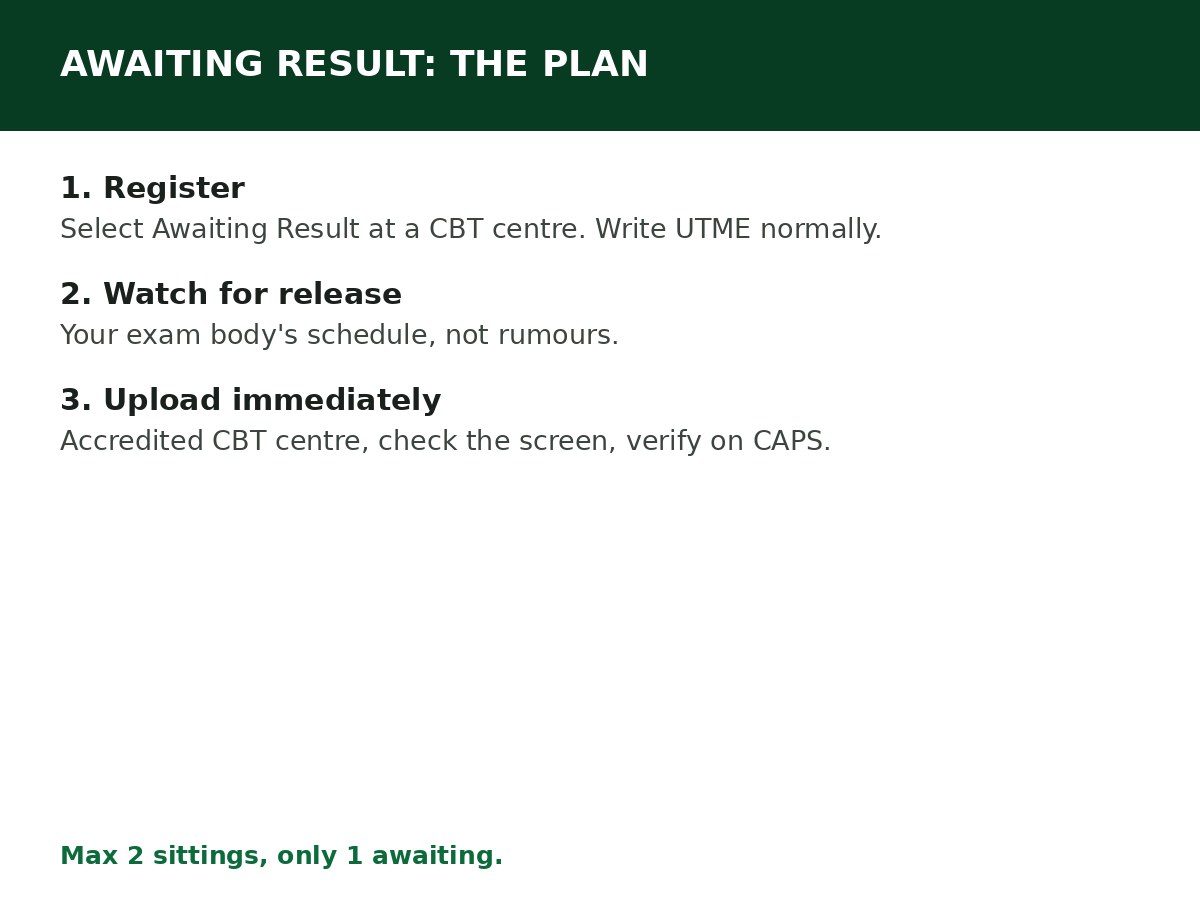
If you are awaiting your O’Level result, register for JAMB by selecting Awaiting Result at registration, write UTME normally, then upload your actual result at an accredited CBT centre the moment it is released. The one thing you must not do is forget the upload — without it, CAPS will bypass you no matter how good your UTME score is.
Awaiting result is a normal, officially allowed status. It is also the status most often mishandled, because candidates treat registration as the finish and the upload as an afterthought.
At registration: what to select
At an accredited CBT centre, when asked about O’Level results, select Awaiting Result for the sitting you are waiting for. You do not upload anything for that sitting at registration, and you are not required to have the result to complete registration, choose institutions and courses, or write UTME.
Two rules about sittings:
- Maximum two sittings to obtain your five credits. If you are combining results, one sitting can be awaiting while the other is already available — upload the available one, and mark the second as awaiting.
- You can await only one result. You cannot register with both sittings awaiting. At least one sitting’s result must be available, or the awaiting sitting must be your only sitting.
After registration: the waiting period
While you wait for WAEC, NECO or NABTEB to release your result:
- Prepare for UTME normally. Awaiting result does not affect your exam, your subjects, or your centre.
- Watch for the release date of your exam body. Results are released on the exam body’s own schedule, not JAMB’s — check the exam body’s portal, not rumours in groups.
- Do not pay anyone to “upload” a result that does not exist yet. There is nothing to upload until the result is released, and anyone charging for it before then is selling you nothing.
- Keep your registration slip safe. You will need your registration number for the upload.
The moment your result is released: upload immediately
Step 1: Get a clear copy of your result slip from your exam body.
Step 2: Go to an accredited CBT centre or JAMB office — not an ordinary cybercafé — with your JAMB registration number and your result slip(s).
Step 3: Ask the operator to upload your O’Level result to your JAMB profile. Watch the screen and check every subject and grade against your slip before the operator finalises it.
Step 4: Ask for a confirmation slip or printout, and keep it.
Step 5: Verify on CAPS afterwards: log in at efacility.jamb.gov.ng, open Check Admission Status, Access my CAPS, then My O’Level Result. Your status should change from Awaiting Result to With Result, with your grades showing. If it still shows Awaiting Result after 48 hours, return to the centre with your confirmation slip.
Full upload detail: How to Upload O’Level Result on JAMB CAPS.
What happens if you never upload
JAMB’s position, repeated in its guidance, is blunt: no upload, no admission. CAPS automatically bypasses candidates whose O’Level field is blank, institutions cannot calculate an aggregate for screening without verified O’Level data, and no institution recommendation is considered for a candidate who has not uploaded. A UTME score of 300+ does not override a blank O’Level field.
The same applies to re-upload notices: if JAMB asks you to re-upload (for example, because only one of two sittings was uploaded correctly), treat it as urgent, not as a routine message. Re-uploading does not harm your chances — ignoring it does.
Related Guides & Next Steps
- Can You Gain Admission With Awaiting Result?
- How to Create a JAMB Profile Code (SMS Format & Fixes)
- How to Upload O’Level Result on JAMB CAPS
- How to Check JAMB Result Online
- JAMB Admission FAQs for Nigerian Candidates
Frequently asked questions
Can I register for JAMB with awaiting result? Yes. JAMB officially allows it. Select Awaiting Result at registration, write UTME, and upload your result once released.
Can I register with both sittings awaiting? No. You can await only one result. If you are combining two sittings, one must already be available.
How long do I have to upload after my result is released? Upload immediately. There is no safe “later” — admission processing and screening close on their own schedules, and a late upload can miss a list entirely.
My result is withheld by WAEC/NECO. What do I do? You cannot upload what has not been released. Follow up with your exam body about the withholding, and keep checking CAPS. Do not submit a fake or borrowed result — that is a disqualification and, in JAMB’s words, a criminal matter when scores are fabricated.
Does awaiting result affect my UTME score or centre? No. It affects only your O’Level record on CAPS, until you upload.
Sources and last update
- Awaiting-result registration, two-sitting rule, no-upload-no-admission rule, and CAPS verification, cross-checked across multiple independent JAMB guides and JAMB’s published guidance as reported by those guides.
- Re-upload urgency per JAMB’s 2026 O’Level upload activation reporting.
Last updated: 24 October 2026. Evergreen guide — review every 3–6 months and on every JAMB registration-cycle announcement.

Written by Olaitan Ilori
Olaitan Ilori is the founder and lead researcher at CareerMedal. He provides verified, practical guides on Nigerian tertiary admissions (JAMB, CAPS, Post-UTME), NELFUND student finance, NYSC service-year survival, and early-career job placement.
View all guides by Olaitan Ilori →