

Take your O’Level result slip(s) and your JAMB registration number to an accredited JAMB CBT centre or a JAMB office, and ask them to upload the result to your JAMB profile. You do not upload it yourself from your phone for an initial submission — the upload is done through the accredited centre’s system.
This is one of the most consequential small tasks in the whole admission process, and one of the most commonly skipped. Institutions verify your grades through CAPS before offering admission. If your result is not there, your profile can stall at “Not Admitted” or “Admission in Progress” no matter how good your UTME score is.
Before you go: what to take
- Your JAMB registration number (and profile code, if you have it to hand).
- A clear copy of your O’Level result slip(s) — WAEC, NECO, NABTEB, or GCE, as applicable. If you are combining two sittings, take both slips.
- A valid ID, if the centre asks for it.
- Whether you are using one sitting or two sittings. Know this before you arrive; the operator will ask, and guessing wrong creates a record that is harder to fix than a slow upload.
Also check one thing before you leave home: the name, date of birth and subjects on your O’Level result match your JAMB profile. A name mismatch between the two records is a problem to sort out, not a detail to upload over.
How to upload, step by step
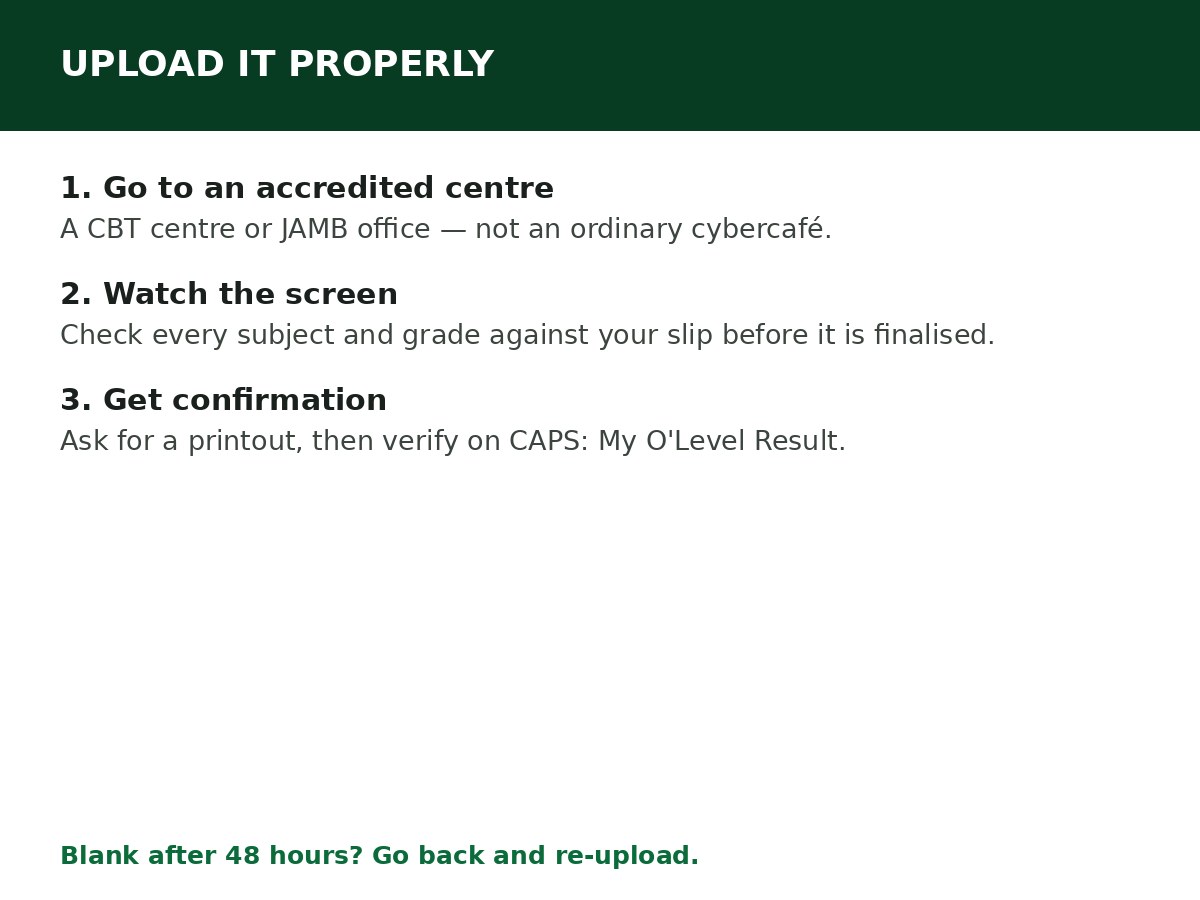
Step 1: Find an accredited JAMB CBT centre or JAMB office. Use the list on jamb.gov.ng, or a centre you already know is accredited. Do not use an ordinary cybercafé or roadside operator for this — they do not have access to the secure JAMB system, and an upload done outside it does not count.
Step 2: Tell the operator clearly: “I want to upload my O’Level result to my JAMB profile.” Give your JAMB registration number.
Step 3: Hand over your result slip(s). The operator enters your exam details — exam body, exam number, exam year, subjects and grades — and scans the slip(s) where required.
Step 4: Watch the screen while the operator enters your grades. Check every subject and grade against your physical slip before the operator finalises the upload. A single wrong grade entered here can follow you through screening, and it is far easier to correct while you are still standing there than after you have left.
Step 5: Ask what the service fee is before the upload is finalised. Centres charge a small service fee for this, and the amount varies by centre — confirm it upfront so there is no surprise at the end.
Step 6: Ask for a confirmation slip or printout showing the uploaded grades, and keep it. Do not leave on a verbal promise that “it has been done”.
The whole process usually takes under ten minutes if there is no queue.
How to confirm it actually worked
Do not assume the centre’s word is enough. Confirm it yourself on CAPS:
Step 1: Log in at efacility.jamb.gov.ng.
Step 2: Click Check Admission Status, select your exam year, enter your registration number, and click Access my CAPS. On a phone, switch to Desktop site first.
Step 3: Open My O’Level Result. Your subjects and grades should appear there.
- Grades showing: upload successful.
- “Awaiting Result” or blank: upload did not go through, or has not reflected yet. If it is still blank after 48 hours, go back to the centre (or a JAMB office) to re-upload — with your confirmation slip from the first visit.
Two sittings: what changes
If you are combining results from two sittings, both slips are uploaded, and the operator records which subjects come from which sitting. The usual rule institutions apply is at least five credits including English and Mathematics across the sittings, but the exact combination rule is set by your institution and course — check it, rather than assuming any two sittings combine freely.
Also note: the upload is normally done once. If you have already uploaded and secured admission, ignore messages telling you to upload again — unless JAMB or your institution specifically directs you to correct an error.
Common upload mistakes
- Uploading at an unaccredited centre. The result does not reach CAPS, and you only discover it when admission stalls.
- Not checking the operator’s screen. Wrong grades, wrong exam year, wrong sitting count — all entered in seconds, all painful to correct later.
- Leaving without confirmation. If the upload fails silently, you have no proof and no starting point for a re-upload.
- Uploading a result that does not match your JAMB name. Sort the name mismatch out first; uploading over it does not resolve it.
- Using an awaiting-result placeholder and then forgetting to upload the real result. If you registered with awaiting result, uploading the actual result when it is released is your responsibility, and it is urgent — institutions cannot admit on an awaiting placeholder.
Related Guides & Next Steps
- How to Check Admission Status on JAMB CAPS
- How to Check JAMB Result Online
- JAMB CAPS Explained for First-Time Candidates
- What Admission in Progress Means on JAMB CAPS
- What Not Admitted Means on JAMB CAPS
Frequently asked questions
Can I upload my O’Level result myself on my phone? For an initial submission, no — JAMB restricts this to accredited CBT centres and JAMB offices, to prevent falsification. You verify the result yourself on CAPS afterwards, but the upload itself goes through the centre.
How much does the upload cost? The centre charges a small service fee that varies by location. Confirm the amount before the operator starts. Reports vary, so CareerMedal does not state a single figure — ask at the centre.
How long before the result shows on CAPS? Usually quickly, but allow up to 48 hours. If it is still blank after that, return to the centre with your confirmation slip.
Can I upload two different exam bodies, like WAEC and NECO? Yes, where your institution allows combining sittings — the operator records each sitting separately. Check your institution’s rule for the course first.
I uploaded, but CAPS still says “Awaiting Result”. What now? Go back to the centre (or a JAMB office) with your confirmation slip and ask them to check and re-upload if needed. Do not assume it will fix itself.
Do I need to upload again every year? No. The upload is normally done once per profile. If you are a returning candidate, check My O’Level Result first before paying for another upload.
Sources and last update
- Upload route (accredited CBT centre / JAMB office, not self-upload for initial submission), verification via CAPS My O’Level Result, and confirmation-slip practice, cross-checked across multiple independent JAMB guides and institution notices directing candidates to accredited centres.
- Note on fees: sources conflict on the exact centre fee, so this article states only that a small, variable service fee applies.
Last updated: 24 October 2026. Evergreen guide — review every 3–6 months and on every JAMB admission-cycle announcement.

Written by Olaitan Ilori
Olaitan Ilori is the founder and lead researcher at CareerMedal. He provides verified, practical guides on Nigerian tertiary admissions (JAMB, CAPS, Post-UTME), NELFUND student finance, NYSC service-year survival, and early-career job placement.
View all guides by Olaitan Ilori →