

To reject an offer, log in to CAPS, open Admission Status, click Reject Admission, and confirm it. Rejecting that offer does not end your admission chances — you stay in the pool for other institutions — but rejecting that particular offer is generally final, and its slot can go to another candidate.
Rejecting is a legitimate choice, not a failure. The mistake is rejecting without a reason, or rejecting while assuming another offer is guaranteed.
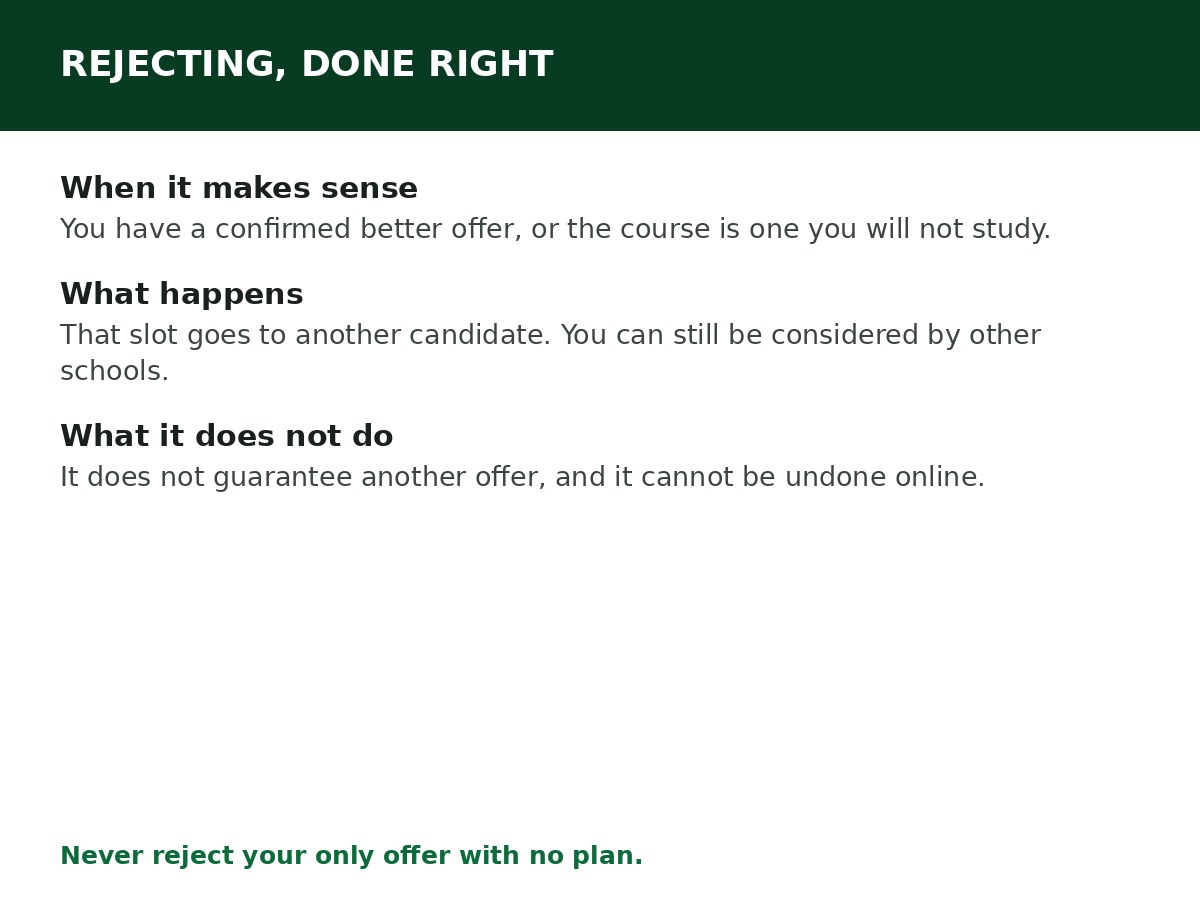
When rejecting makes sense
Reject when you have a clear reason, such as:
- You have a confirmed offer from an institution you genuinely prefer (not just a hope of one).
- The course on the offer is not one you are willing to study — for example, a transfer to a course you did not choose and do not want.
- Your circumstances have changed and you cannot attend that institution in that cycle.
- You have decided to wait for the next cycle rather than take an offer you do not want.
Rejecting does not make sense as a protest, as a way to “hold out” with no alternative, or because someone told you a better offer is coming when no offer has actually appeared. If you reject your only offer and no other offer comes, you may end the cycle without admission.
How to reject, step by step
Step 1: Log in at efacility.jamb.gov.ng with your registered email and password.
Step 2: Click Check Admission Status, select your exam year, enter your registration number, and click Access my CAPS. On a phone, switch your browser to Desktop site first.
Step 3: Open Admission Status and read the offer carefully — institution and course, exactly as shown.
Step 4: Click Reject Admission.
Step 5: Confirm the rejection when CAPS asks you to. You may be asked for a reason; give it honestly and briefly.
Step 6: Log back in and confirm the rejection is recorded on CAPS.
Alternative by SMS: send REJECT to 55019 or 66019 from the phone number linked to your JAMB profile, then log back into CAPS to confirm. As with accepting, the portal method is preferred when you can get online.
What rejecting does — and does not do
It does:
- Decline that specific offer. The slot becomes available for another candidate.
- Keep you in the admission pool, so other institutions with free slots can still consider you in that cycle.
- Clear your profile for other offers to appear — which is why JAMB has, in past cycles, directed candidates with old unanswered offers to reject them so new processing can proceed.
It does not:
- Guarantee another offer. Staying in the pool means you can be considered, not that you will be offered a place.
- Let you change your mind on CAPS and take the same offer back. Reversing a rejection is not an online button. It requires the institution to re-recommend you, and that depends on slot availability — so treat the click as final.
- Affect a future UTME cycle. Rejecting in one cycle does not bar you from registering and applying again in the next cycle.
After rejecting: what to do next
- Keep checking CAPS regularly. Other institutions admit in batches, and a new offer can appear later in the cycle.
- Check the Transfer Approval tab each time you check. A different course or institution offer may come through there.
- Confirm your O’Level result is uploaded. A missing upload stalls profiles regardless of offers — see How to Upload O’Level Result on JAMB CAPS.
- Consider a change of institution or course on e-Facility if your current choices are clearly too competitive for your scores, rather than waiting passively for an offer that may not come.
- Have a plan for the cycle ending without an offer: supplementary admission where available, or preparing for the next UTME cycle with a better subject and institution strategy.
If you rejected by mistake
Go to a JAMB office or your institution’s admission office immediately, with your registration details. Explain what happened and ask whether the institution can re-recommend you. The answer depends on slot availability and timing — the sooner you act, the better your chance, and there is no guarantee. Do not pay anyone who promises to reverse a rejection for a fee.
Related Guides & Next Steps
- How to Accept Admission on JAMB CAPS
- How to Check Admission Status on JAMB CAPS
- How to Check JAMB Result Online
- How to Upload O’Level Result on JAMB CAPS
- JAMB CAPS Explained for First-Time Candidates
Frequently asked questions
Will rejecting an offer affect my next JAMB registration? No. Rejection in one cycle does not bar you from the next cycle.
Can I reject one offer and accept another one later? Yes — that is exactly what staying in the pool allows. Reject the offer you do not want, and accept a later offer you do want, on CAPS.
Can I undo a rejection on CAPS? Not online. Reversal requires the institution to re-recommend you, and depends on slot availability. Treat rejection as final when you click it.
Should I reject an offer I don’t want, or just leave it unanswered? Reject it. An unanswered offer can expire and revert to “Not Admitted”, and in past cycles JAMB has required candidates to clear old unanswered offers before new processing could proceed. A clean, deliberate rejection is better than a silent expiry.
What if I have no other offer and I am thinking of rejecting? Think twice, and talk to someone who knows your options — a teacher, counsellor, or the institution’s admission office. Rejecting your only offer with no alternative plan is the one rejection most candidates regret.
Sources and last update
- CAPS reject steps, pool consequences and SMS method, cross-checked across multiple independent JAMB guides; past-cycle JAMB direction on clearing unanswered offers noted as past-cycle, not assumed as a current-cycle rule.
Last updated: 24 October 2026. Evergreen guide — review every 3–6 months and on every JAMB admission-cycle announcement.

Written by Olaitan Ilori
Olaitan Ilori is the founder and lead researcher at CareerMedal. He provides verified, practical guides on Nigerian tertiary admissions (JAMB, CAPS, Post-UTME), NELFUND student finance, NYSC service-year survival, and early-career job placement.
View all guides by Olaitan Ilori →