
Most profile-code stress is avoidable, and almost all of it comes from the same few mistakes: the wrong SMS format, the wrong SIM, an uncorrected NIN record, or sending the message over and over in a panic.
This guide is not a repeat of the basic steps. It is the troubleshooting version — the one to read when the code hasn’t arrived, when JAMB’s reply doesn’t make sense, or when you want to get it right the first time and never think about it again. For the basic steps alone, see How to Create a JAMB Profile Code.
The calm order: do things in this sequence
Stress comes from doing things out of order. Follow this sequence and you remove most failure points before they happen:
- Fix your NIMC record first. Name, date of birth, gender, state of origin. Confirm the correction has reflected.
- Pick one SIM and stick to it. Your own number, active, with at least ₦50 airtime, able to send SMS to shortcodes.
- Check the format once, slowly.
NIN, one space, 11 digits. No comma, no brackets, no extra words. - Send once to 55019. Wait. Only if there is no response after a reasonable wait, try 66019.
- Read the reply properly. JAMB’s replies are short, but they tell you exactly what went wrong. The table below translates them.
What not to do: send from three different SIMs, resend ten times in five minutes, or pay someone to “fast-track” it. All three create new problems while solving none of the old ones.
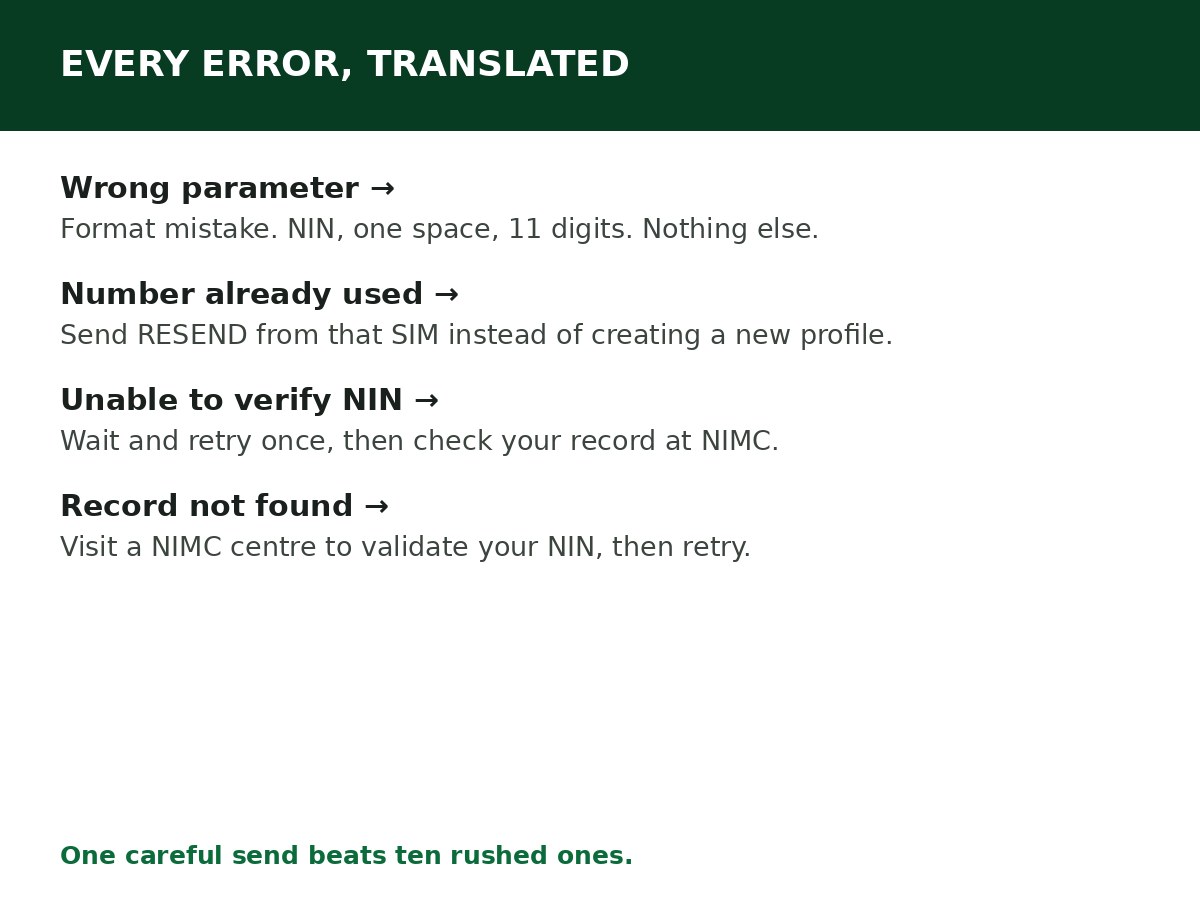
Every common error, translated
| What JAMB sends back | What it means | What to do |
|---|---|---|
| Wrong parameter | The SMS format was wrong | Resend exactly as NIN 12345678901 — one space, 11 digits |
| Number already registered / already used | That SIM generated a profile before | Send RESEND from that SIM to get the existing code. Do not create a second profile |
| NIN already registered with another GSM number (shows part of a number) | Your NIN is tied to a different phone number | If you recognise it, use that SIM and send RESEND. If you lost it, get a SIM replacement. If you don’t recognise it at all, go to a JAMB office with your NIN slip — do not keep trying SMS |
| Unable to verify NIN / NIMC unknown | Temporary JAMB–NIMC issue, or a detail mismatch | Wait and retry once. If it persists, verify your NIN at NIMC |
| Record not found | Your NIN is not on the database JAMB checks, or is dormant/incomplete | Visit a NIMC enrolment centre for validation, then retry |
| No reply at all | Network delay, low airtime, or shortcode SMS blocked | Confirm airtime, wait, retry once to the other shortcode. Ask your provider to enable shortcode SMS if the SIM never reaches shortcodes |
| Special characters error | Your NIN record contains an unsupported character | Correct the record at NIMC before retrying — resending will not fix it |
The three stuck scenarios, and how each one ends
1. “I recognise the number in the reply — it’s my old SIM.” Good news. Put that SIM in a phone, send RESEND to 55019 or 66019, and your existing code comes back. Profile codes do not expire, so there is no need for a new one.
2. “The number is mine, but the SIM is lost.” Get a replacement SIM for the same number from your provider, with your NIN as ID. Once it is active, send RESEND. This is almost always faster than any JAMB-office route.
3. “I don’t recognise the number at all.” Stop sending SMS. Take a screenshot of the exact reply, your NIN slip and a valid ID to a JAMB office, and raise it through JAMB’s support process. Include your full name exactly as on your NIN record and the complete error message. If a registration deadline is close, the in-person visit beats waiting for an email reply.
Timing tricks that actually help
- Send during off-peak hours — early morning or late night — when registration traffic is lower. Many “no reply” cases are simply congestion at peak times.
- Don’t resend in a burst. Repeated sends in minutes cost airtime and can look like abuse. One send, a proper wait, then one retry to the other shortcode.
- Try the other shortcode, not a different SIM. 55019 and 66019 are both JAMB shortcodes for this service. Switching shortcode is safe; switching SIM is not.
- Keep the phone charged and the SIM in the phone. Sounds obvious, but a dead phone or a SIM swapped out for another line is a surprisingly common reason a reply is “never received”.
What to do if nothing above works
If you have: used your own SIM, confirmed the format, tried both shortcodes, confirmed your NIN at NIMC, and waited out congestion — and it still fails — then the problem is no longer something an SMS can fix.
Go to a JAMB office or an accredited CBT centre with:
- Your NIN slip
- A valid ID
- The phone number used (if you still have it)
- Screenshots of every reply JAMB sent you
Operators at authorised centres can retrieve a profile using your NIN and guide you through the official recovery options. This is the correct escalation — not an agent, not a paid “linking” service, and not a new profile.
Related Guides & Next Steps
- How to Create a JAMB Profile Code (SMS Format & Fixes)
- How to Link NIN to JAMB Profile (The SMS That Does It)
- How to Retrieve a Lost JAMB Profile Code
- How to Check JAMB Result Online
- JAMB Admission FAQs for Nigerian Candidates
Frequently asked questions
How long should I wait for a reply? Usually minutes. In peak registration periods it can take longer. Wait a reasonable time, then retry once to the other shortcode before concluding it failed.
Can I send the SMS from a phone that isn’t mine, if the SIM is mine? Yes — it is the SIM that matters, not the handset. Put your SIM in any working phone and send from it.
Will sending the SMS many times get me banned? It won’t help, and it wastes airtime. One careful send beats ten rushed ones. If the error message is the same each time, the cause is in the record or the format, not the number of attempts.
Do I need a new profile code every year? No. Retrieve your existing code with RESEND and reuse it.
Is there a free way to get the code without airtime? No. The SMS service requires airtime — keep at least ₦50 on the line. Anyone promising a free code in exchange for your NIN and personal details is not doing you a favour.
Sources and last update
- JAMB 2026 UTME/DE registration guidelines, as released by JAMB through its official channels (format, shortcodes, NIMC rule, previously-used-number guidance).
- JAMB candidate FAQ reporting (RESEND retrieval; returning candidates retrieve rather than re-create).
- Cross-checked error interpretations against multiple independent guides reporting JAMB’s published challenges; where sources conflicted on costs or unofficial USSD codes, those claims were excluded.
Last updated: 24 October 2026. Evergreen guide — review every 3–6 months and on every JAMB registration announcement.

Written by Olaitan Ilori
Olaitan Ilori is the founder and lead researcher at CareerMedal. He provides verified, practical guides on Nigerian tertiary admissions (JAMB, CAPS, Post-UTME), NELFUND student finance, NYSC service-year survival, and early-career job placement.
View all guides by Olaitan Ilori →