
Correcting your name on JAMB goes through the same correction system as other data changes — e-Facility payment, then completion at an accredited CBT centre or JAMB office — but with one rule that catches candidates out: your JAMB name must match your NIN record. If your NIN itself carries the wrong name, fixing JAMB first will not hold.
Name mismatches are the commonest reason candidates fail clearance after admission. A JAMB profile that says “Ade” while WAEC says “Adebayo”, or a surname spelt differently on NIN and JAMB, will be questioned at screening, at NYSC mobilisation, and at every verification afterwards. Fix it now, while the correction window is open, not at clearance when it becomes urgent.
The NIMC-first rule
JAMB pulls your biodata from NIMC when you link your NIN. That means:
- If your NIN record is correct and JAMB is wrong, correct JAMB through the correction process below.
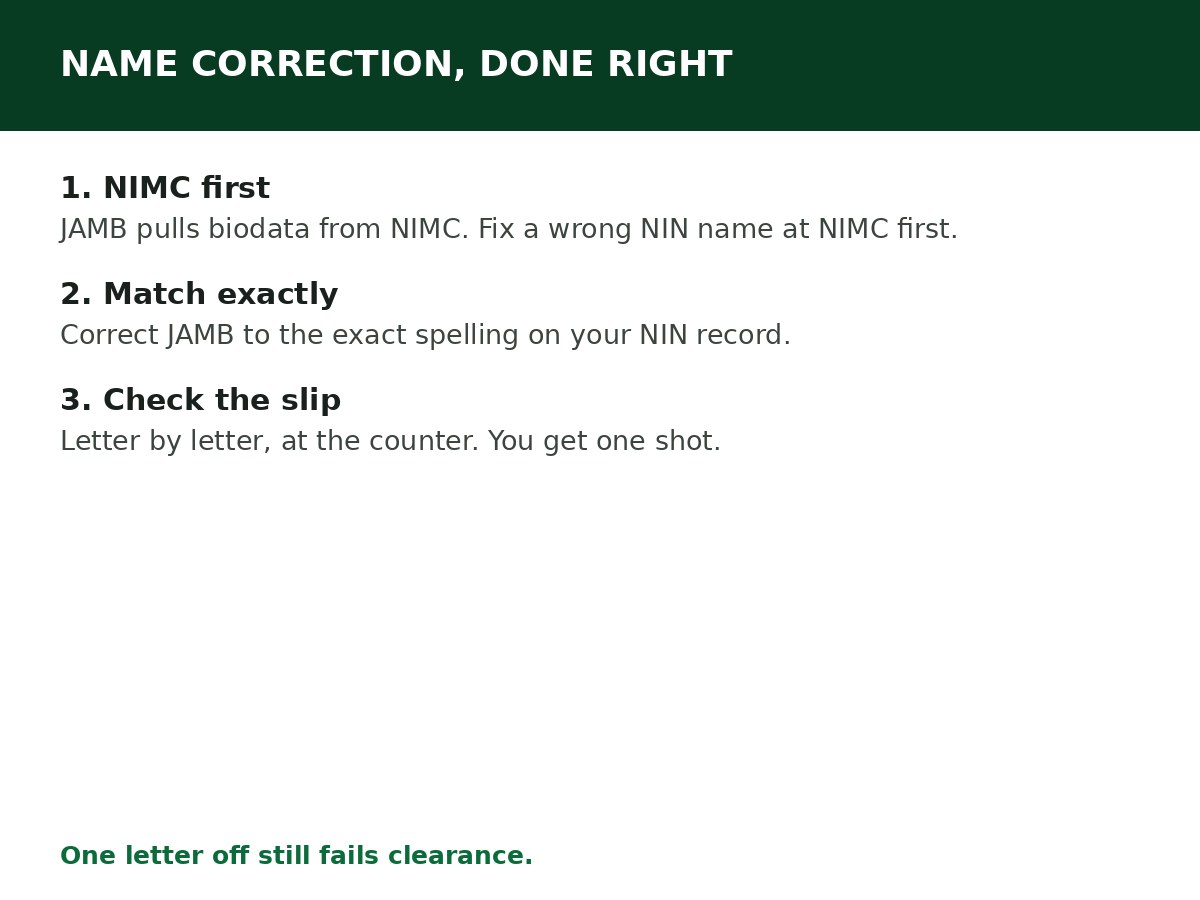
- If your NIN record is wrong, correct it at NIMC first. NIMC allows modification of names (with supporting documents such as a sworn affidavit, and other documents depending on the change), and only after NIMC is corrected will JAMB’s record align. Correcting JAMB to match a wrong NIN record just recreates the mismatch in the other direction.
- If both are wrong in different ways, fix NIMC first, then JAMB, and check both afterwards.
Do not pay anyone who promises to “correct your name on JAMB” without going through NIMC where NIMC is the source of the error. The correction will not survive verification.
How to correct your name, step by step
Step 1: Check your NIN record first. Confirm the exact spelling of your names on your NIN slip and in NIMC’s record. That spelling is your target.
Step 2: Log in at efacility.jamb.gov.ng with your registered email and password.
Step 3: From the services list, open Registration, then UTME Data Correction (or DE Data Correction for Direct Entry). For registrations from 2021 downward, use the Application for Correction of Data (2021 Downward) route.
Step 4: Select Name as the correction type, and pay the portal fee of ₦2,500 for the correction. A CBT centre will add its own service charge — confirm the total before you start.
Step 5: Visit an accredited CBT centre or JAMB office to complete the correction, with your registration number, NIN slip, and ID. The operator enters the corrected name exactly as it appears on your NIN record.
Step 6: Check the correction slip printed at the centre, letter by letter, before you leave. Name corrections are the one correction you cannot afford to get wrong twice — see the once-only rule below.
Step 7: After the correction, check your JAMB profile, your O’Level upload on CAPS, and your institution’s records, to confirm the corrected name is consistent everywhere it matters.
The once-only rule — and why it matters for names
Per the structured JAMB process note most often cited, personal-data corrections — names, date of birth, gender, state/LGA, passport photograph, profile — can only be done once each. Course/institution changes can be repeated with separate payments; name correction cannot be assumed repeatable.
That makes a name correction a one-shot operation. Check the spelling against your NIN slip and your O’Level result before the operator submits, not after. If the correction is submitted with a new error, you may need a JAMB office intervention to fix it — not another routine correction.
What counts as a “name correction” vs a different person
JAMB’s correction system is for genuine errors — misspellings, transposed names, a missing middle name, a surname spelt differently from your official records. It is not a route to adopt a completely different identity on a profile. If the name on your JAMB profile belongs to a different person, or the change you want amounts to transferring the profile, that is not a correction — go to a JAMB office for advice, and do not attempt it through the routine correction form.
Related Guides & Next Steps
- How to Correct Date of Birth on JAMB Portal
- How to Create a JAMB Profile Code (SMS Format & Fixes)
- How to Link NIN to JAMB Profile (The SMS That Does It)
- How to Check JAMB Result Online
- JAMB Admission FAQs for Nigerian Candidates
Frequently asked questions
How much does it cost to correct my name on JAMB? ₦2,500 per correction on the portal, plus a CBT centre service charge if completed at a centre.
Can I correct my name more than once? Per JAMB’s process note, name correction can only be done once. Treat it as one shot and check the spelling before submission.
My NIN has the wrong name. Should I correct JAMB or NIMC first? NIMC first. JAMB’s biodata comes from NIMC, so a JAMB correction that contradicts your NIN record will not hold up at verification.
Will a name correction affect my admission? It should protect it — institutions reject or delay candidates with mismatched names at clearance. Correcting early, before admission processing, is safer than correcting after an offer.
My JAMB name and WAEC name differ by one letter. Does it matter? Yes. Even a one-letter difference is flagged at clearance and verification. Correct it now.
Sources and last update
- Correction route, ₦2,500 portal fee, once-only rule for personal-data corrections, and NIMC-source rule, cross-checked across multiple independent JAMB guides (SchoolGist process note, CampusCyberCafe, NounLoaded).
- NIMC modification process (names modifiable with supporting documents) per NIMC guidance as reported in 2026 guides — confirm current NIMC requirements at NIMC before starting, as they change.
Last updated: 24 October 2026. Evergreen guide — review every 3–6 months and on every JAMB correction-window announcement.

Written by Olaitan Ilori
Olaitan Ilori is the founder and lead researcher at CareerMedal. He provides verified, practical guides on Nigerian tertiary admissions (JAMB, CAPS, Post-UTME), NELFUND student finance, NYSC service-year survival, and early-career job placement.
View all guides by Olaitan Ilori →