
Check your NELFUND application status inside your account on portal.nelf.gov.ng: log in with your registered email and password, open your dashboard or loans section, and read the status and any notification shown for the correct academic session. Submission is not approval, and login is not approval — only the status wording on your dashboard tells you where your application actually stands.
Students waste the most time on status checking by checking the wrong thing: a submission confirmation, a screenshot from a previous session, or a friend’s dashboard. Your own dashboard, for the current session, is the only status that matters.
How to check, step by step
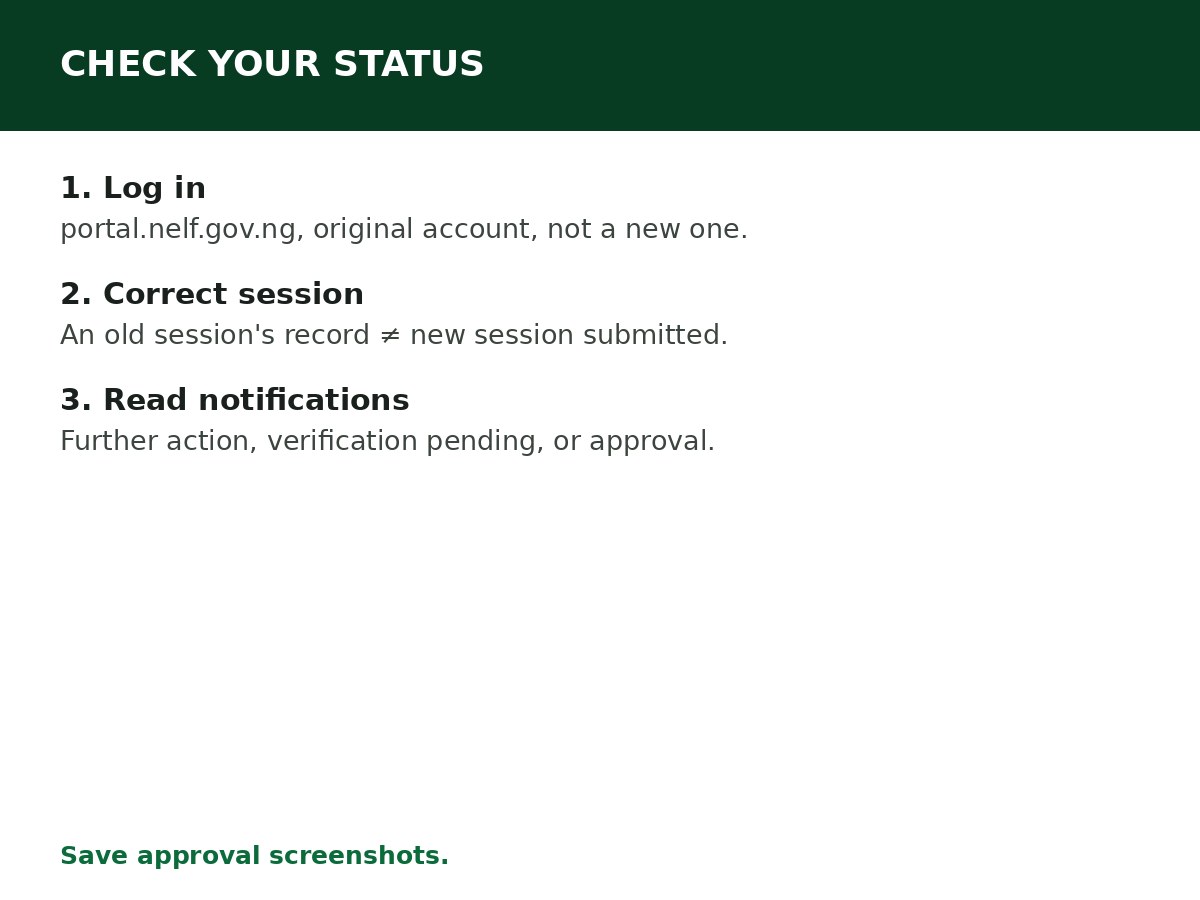
Step 1: Go to portal.nelf.gov.ng directly. Type the address yourself — fake portals are a real risk, and a fake login page will happily accept your credentials and show you nothing real.
Step 2: Log in with the email and password from your original registration. If you registered in an earlier application period, log in with that existing account instead of creating a new one — see NELFUND Login Problems and Solutions if you cannot get in.
Step 3: Open your dashboard or loans section and find your submitted loan application. Portal labels and layout change as NELFUND updates the portal, so follow the current labels on screen rather than a screenshot from an old session.
Step 4: Confirm the application relates to the correct academic session. An old session’s record is not confirmation that the new session’s application has been submitted — each session requires a fresh application, as covered in the returning-student guide.
Step 5: Read the status and any notification carefully. A notification may ask you to correct information, complete a missing section, or wait for institutional verification. Follow the instruction shown, and make sure any change reflects your actual student and personal records.
Step 6: If the status shows approval, save a screenshot for your records. You can use it when contacting your institution or NELFUND about disbursement — approval and disbursement are still different stages, as covered in the disbursement guides.
What the statuses mean
| What you see | What it means | What to do |
|---|---|---|
| Submitted / under review | Your application is received and being processed | Wait, and check regularly for notifications. Do not submit a duplicate |
| Pending institutional verification | Your institution has not yet confirmed your enrolment | Follow up with your institution’s NELFUND desk or student affairs unit |
| Pending identity verification | NIN/JAMB/BVN matching is incomplete or under review | Check your details match official records; do not repeatedly change them to force a match |
| Further action required | The portal needs something from you | Read the notification, complete exactly what it asks, and resubmit that section only |
| Approved | Your loan request has been approved for the session | Confirm disbursement with your institution (charges) and your bank (upkeep), separately |
| Rejected | Your application was not approved | Read the rejection reason on the dashboard — see NELFUND Application Rejected: Possible Reasons |
If your status has not changed for a long time
A pending status does not necessarily mean a problem. Applications stay pending because the institution has not completed verification, because a large number of applications are being processed, because additional checks are required, or because documents need further review. Before you escalate:
- Log in and check whether a notification or request for further action has appeared — many “stuck” applications are actually waiting on the applicant.
- Confirm your institution has verified you for this session.
- Confirm you have not submitted a duplicate application, which complicates verification rather than speeding it up.
- Only then contact your institution’s NELFUND desk or NELFUND support, with your application reference and the exact status wording.
Related Guides & Next Steps
- How to Verify Your Student Status on NELFUND
- NELFUND Application Rejected: Possible Reasons
- NELFUND Login Problems and Solutions
- NELFUND Student Loan Requirements
- NELFUND Student Loan 2026/2027: Complete Guide
Frequently asked questions
Does a submission confirmation mean my loan is approved? No. Submission, login, and approval are different stages. Only an approval notification on your dashboard means approval.
My friend’s dashboard looks different from mine. Is something wrong? Not necessarily. Portal labels and layout change with updates, and statuses differ by application stage and session. Follow your own dashboard’s current wording.
How often should I check my status? Regularly during the application window and verification period, but not obsessively — checking does not speed up institutional verification. Check when you have reason to (after submitting, after your institution confirms verification, after a notification), and at least weekly while pending.
I cannot find any application on my dashboard. What does that mean? Either you are logged into the wrong account, you are looking at the wrong session, or your application was not actually submitted. Check the account and session first, then check with your institution’s NELFUND desk whether you followed the correct process — before submitting anything new.
Should I submit a new application if my status is pending? No. Do not repeatedly submit new applications because an update has not appeared. First establish whether your existing application was received and whether verification is complete.
Sources and last update
- Status-checking steps (portal login, dashboard/loans section, correct session, notification reading, approval screenshot), pending reasons, and duplicate-submission warning, cross-checked across multiple NELFUND guides.
- Portal labels are deliberately described generically — NELFUND updates the portal layout, so exact button names are not asserted as permanent.
Last updated: 24 October 2026. Guide — review every session and on every NELFUND portal update.

Written by Olaitan Ilori
Olaitan Ilori is the founder and lead researcher at CareerMedal. He provides verified, practical guides on Nigerian tertiary admissions (JAMB, CAPS, Post-UTME), NELFUND student finance, NYSC service-year survival, and early-career job placement.
View all guides by Olaitan Ilori →