

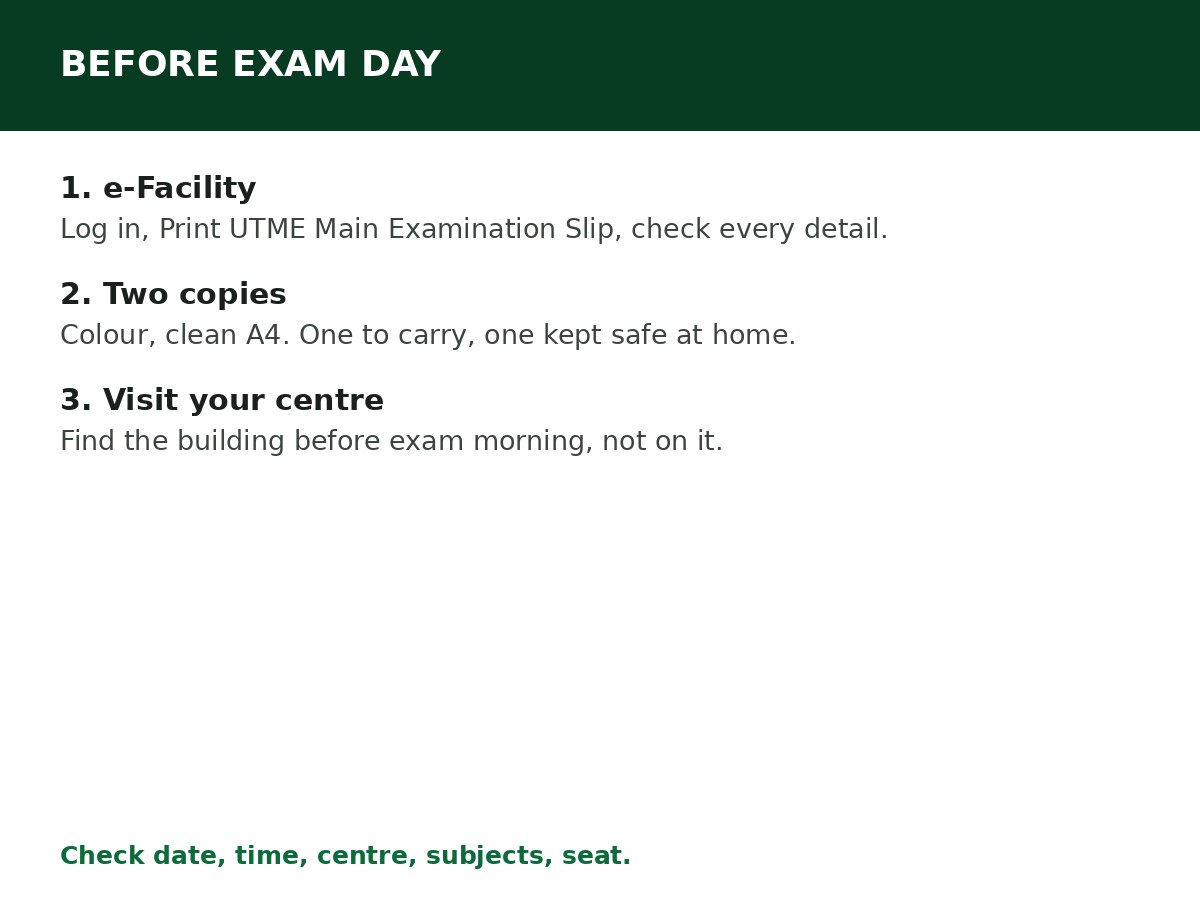
Log in at efacility.jamb.gov.ng, click Print UTME Main Examination Slip, check your centre, date, time and subjects, then print at least two clear copies. Without this slip, entry into a CBT centre will not be granted — it is the document that tells you where and when you are writing.
Printing is free. What costs money is waiting until the last day, when the portal is slow, the cybercafé queue is long, and a mistake on the slip leaves no time to fix.
When can you print it?
JAMB activates slip printing (often called “reprinting”) ahead of the exam, once registration has closed and centres, dates and times have been assigned. Until JAMB activates it for your cycle, the slip option will not show your exam details — that does not mean your registration failed. Check How to Check JAMB Registration Status if you are unsure whether your registration itself completed.
Print as soon as the portal becomes active for your cycle. Early printing gives you time to visit your centre, spot an error, and fix a problem before exam day.
Method 1: Through e-Facility (recommended)
Step 1: Go to efacility.jamb.gov.ng and log in with your registered email and password.
Step 2: On your dashboard, click Print UTME Main Examination Slip. Do not click a mock slip or supplementary slip option unless that is the exam you are printing for.
Step 3: If prompted, enter your registration number and proceed.
Step 4: When your slip loads, check every detail before printing:
- Full name and date of birth
- Exam date and time
- CBT centre name and address
- Subject combination
- Seat number, where shown
Step 5: Print, or download as a PDF to print later. Print at least two copies, preferably in colour, on clean A4 paper. Keep one copy safe at home and carry the other to the exam.
Method 2: Through the slip printing portal (no login)
If you cannot log in, JAMB also provides a slip printing route at slipsprinting.jamb.gov.ng, where you enter your UTME registration number (or the phone number linked to your JAMB account) and click Print Examination Slip. Your exam details appear, and you print from there.
Use the e-Facility method when you can — it is the primary route, and it confirms your full profile at the same time. Use the slip portal as the fallback, not as a reason to share your login with someone else.
What to do the moment you print
- Visit your CBT centre before exam day. Find the building, confirm the address, and work out your transport and timing. Candidates who first see their centre on exam morning are the ones who arrive late.
- Check the date and time twice. UTME sessions run at different times on different days. Arriving on the right day at the wrong session time is the same as missing the exam.
- Keep the slip flat and readable. A folded, torn, or faintly printed slip can cause problems at verification. A second copy at home is your backup if the first is damaged.
If something is wrong on the slip
| Problem | What to do |
|---|---|
| Centre, date or time missing | Slip printing may not be fully active for your batch yet. Wait and retry, preferably early morning or late night when traffic is lower. If it persists, contact JAMB support or visit a JAMB office |
| Wrong subjects | Report it immediately — do not just print and hope. Contact JAMB support or visit a JAMB office with your registration slip |
| Wrong centre (far from you, or a centre you did not expect) | The centre on the slip is the centre assigned to you. You cannot simply choose another centre and turn up there. If you believe there is an error, raise it with JAMB promptly — do not wait until exam day |
| Name or photo wrong | Report it to a JAMB office before the exam, with your registration details and ID |
| Portal slow or not opening | Heavy traffic is normal when printing opens. Wait a few hours and retry off-peak. Do not pay a third-party site to print it for you |
On exam day: what to take with the slip
Take your printed examination slip, and follow the instructions on it and from JAMB for that cycle about identification and permitted items. Arrive early — centres verify candidates before the session starts, and late arrival is treated strictly.
Do not laminate the slip if JAMB’s instructions for your cycle say not to, and do not write on it in a way that obscures any detail. If in doubt, keep it clean and carry a second copy.
Related Guides & Next Steps
- How to Check JAMB Registration Status
- How to Create a JAMB Profile Code (SMS Format & Fixes)
- How to Check JAMB Result Online
- JAMB Admission FAQs for Nigerian Candidates
- How to Print JAMB Original Result Slip
Frequently asked questions
Is printing the examination slip free? Yes. Both official methods are free. A cybercafé will charge you for printing (paper and printer use), but JAMB does not charge a slip-printing fee. Anyone charging a “slip fee” beyond normal printing costs is not JAMB.
Can I print in black and white? Colour is preferred and recommended by most guides, because your photo and details must be clearly readable at verification. If you can only print in black and white, make sure the print is sharp and every detail is legible — and print an extra copy.
Can I change my CBT centre after printing my slip? No, not by yourself. The centre on the slip is your assigned centre. If there is a genuine error, raise it with JAMB — do not turn up at a different centre expecting to be admitted.
I printed my slip, but my exam date is not showing. What does that mean? Either slip printing is not yet active for your batch, or there is a problem with your registration record. Retry off-peak first, then contact JAMB support with your registration number if it persists.
Can someone else print my slip for me? They can print it if they have your login or registration number, but sharing your login is risky. Better: download the PDF yourself and send only the PDF to a trusted printer, or print it at a centre yourself.
Sources and last update
- Slip printing steps (e-Facility Print UTME Main Examination Slip; slipsprinting portal with registration number/phone), slip contents, and “no entry without slip” rule, cross-checked across multiple independent JAMB guides and Tribune’s report of JAMB’s weekly bulletin guidance.
- Colour-printing preference and early-printing advice per the same guides.
Last updated: 24 October 2026. Evergreen guide — review every 3–6 months and on every JAMB exam-cycle announcement.

Written by Olaitan Ilori
Olaitan Ilori is the founder and lead researcher at CareerMedal. He provides verified, practical guides on Nigerian tertiary admissions (JAMB, CAPS, Post-UTME), NELFUND student finance, NYSC service-year survival, and early-career job placement.
View all guides by Olaitan Ilori →