

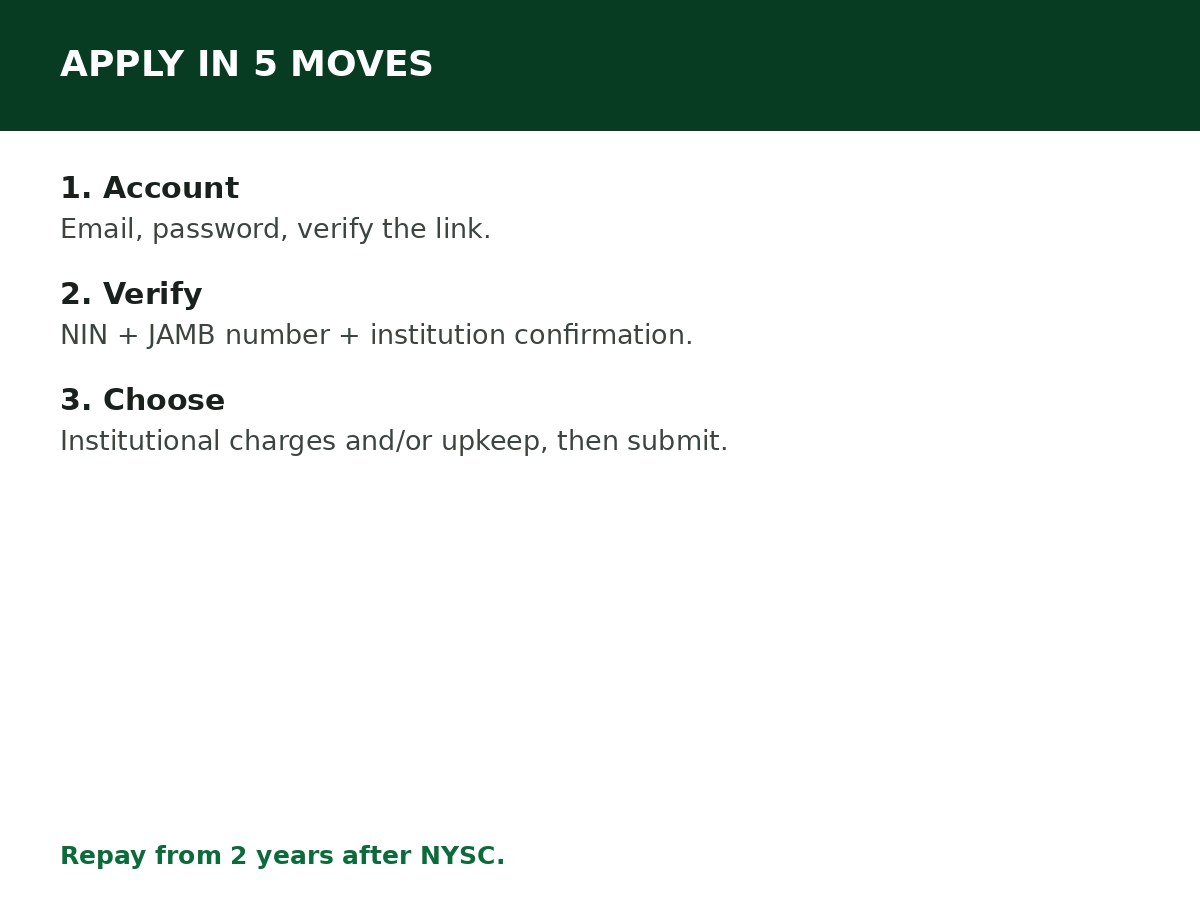
Apply on the official NELFUND portal at portal.nelf.gov.ng: create an account, verify your identity with your NIN and JAMB number, complete your profile with your BVN and bank account, choose institutional charges and/or upkeep, upload your admission letter, accept the terms, and submit. The loan is interest-free — you repay only what you borrowed, starting two years after NYSC.
NELFUND is the Federal Government’s student loan programme, run by the Nigerian Education Loan Fund. It is a loan, not a grant and not a scholarship — the terms you accept at application are real, and they follow you after graduation. Read this guide fully before you click submit, not after.
Before you start: what you need
- An active email address you control.
- Your National Identification Number (NIN).
- Your Bank Verification Number (BVN) and a bank account in your own name.
- Your JAMB registration number and/or matriculation/admission number.
- Your admission letter (scanned, clear, PDF where the portal asks for it).
- Your institution’s name, exactly as it appears on the portal’s list.
Check eligibility first: NELFUND Student Loan Requirements. Applying when you are not eligible wastes a cycle and creates a rejected application on your record.
How to apply, step by step
Step 1: Go to portal.nelf.gov.ng directly. Type the address yourself. Do not apply through a link in a group chat, a social media ad, or an agent’s website — fake NELFUND portals exist to harvest NINs, BVNs and bank details.
Step 2: Click Apply Now / Get Started. Confirm you are a Nigerian when prompted, then create your account with your email and a strong password. Verify your email through the confirmation link sent to your inbox.
Step 3: Log in and verify your identity. Enter your NIN and JAMB registration number, select your institution from the dropdown, and enter your matriculation or admission number. The system cross-checks your student status — see How to Verify Your Student Status on NELFUND.
Step 4: Complete your profile: current residential address, phone number, BVN, bank, and account number. Your upkeep, if you request it, is paid into this account — a wrong account number stops your upkeep from reaching you, and a name mismatch between your bank account and your records causes delays. Fix name mismatches before you apply, not after.
Step 5: Choose your loan request. Tick Institutional Charges if you want NELFUND to pay your institution’s charges directly to the institution, and/or Upkeep if you want the monthly upkeep allowance paid to your bank account. You can request one or both — see NELFUND Institutional Charges Explained and NELFUND Upkeep Loan Explained.
Step 6: Upload your documents, including your admission letter (and fee invoice if the portal asks for it). Upload clear scans — a blurry admission letter is a common reason for verification delays.
Step 7: Review your profile summary carefully, then read the loan overview and terms. Accepting the terms includes the Global Standing Instruction (GSI) mandate, which authorises deductions for repayment as described below. Do not rush this step — you are agreeing to repay the loan later.
Step 8: Click Submit Application. After submission, track your status inside your account, in the loans section. It may show that your institution is being verified or that your request is still being processed. Your institution must also confirm your details before payment can happen, so patience here is normal — but check regularly, and respond promptly if the portal asks you for anything.
The repayment terms you are accepting
These terms are reported consistently across NELFUND guides, and you should confirm them on the portal at application, as terms can be updated:
- Interest: 0%. You repay only the exact amount borrowed.
- Repayment starts two years after completing NYSC.
- If employed: 10% of your monthly salary is deducted by your employer until the loan is cleared.
- If self-employed: you remit 10% of your monthly profit.
- If unemployed after the grace period: guides report you must submit a sworn court affidavit every three months to notify NELFUND until you secure employment.
- Write-off: the loan may be written off if the beneficiary dies or suffers a permanent disability that prevents earning a living.
No guarantor is required, and no collateral is required. Anyone asking you for a guarantor fee or a “processing fee” to apply for NELFUND is not NELFUND.
After approval: how the money moves
- Institutional charges are paid directly to your institution’s account, not to you. You do not receive tuition money and then pay the school.
- Upkeep is paid directly to your bank account, in periodic instalments during your active academic session.
- Per session: under NELFUND’s fresh guidelines as reported, upkeep and institutional charges follow each institution’s academic calendar — payments run during the active session and stop when the session ends, and you reapply for both at the start of the next academic year. Do not assume one application covers your whole degree.
Related Guides & Next Steps
- How to Create a NELFUND Account
- How to Verify Your Student Status on NELFUND
- NELFUND Institutional Charges Explained
- NELFUND Student Loan Requirements
- NELFUND Upkeep Loan Explained
Frequently asked questions
Do I need to have been admitted before applying for NELFUND? Yes. You cannot apply until you have your admission letter and school registration details, because the application verifies your student status against them.
Can I apply for institutional charges only, without upkeep? Yes. Tick only the loan components you need. Many students request institutional charges only.
Is there an application fee for NELFUND? No processing fee is reported for the loan itself. Be suspicious of anyone charging you to apply — the official portal is where you apply, free of charge for the application.
How long does approval take? Guides report disbursement typically within about 30 days of approval, but institutional verification is the variable step. Check your portal status regularly rather than relying on a fixed date.
What if my institution is not on the portal’s list? Your institution must be a participating, approved institution. If it is not listed, you cannot complete verification for it — check with your institution whether it participates, rather than selecting a different institution.
Sources and last update
- Application steps (portal.nelf.gov.ng, Get Started, email verification, NIN/JAMB verification, BVN/bank setup, institutional/upkeep choice, admission letter upload, GSI terms acceptance), repayment terms (0%, 2 years after NYSC, 10% deduction, affidavit for unemployed, write-off), and per-session reapplication rule, cross-checked across multiple independent NELFUND guides and NELFUND’s reported fresh guidelines.
- All terms are stated with a confirm-on-portal instruction, because NELFUND updates its guidelines and portal between sessions.
Last updated: 24 October 2026. Guide — review every session and on every NELFUND guideline update.

Written by Olaitan Ilori
Olaitan Ilori is the founder and lead researcher at CareerMedal. He provides verified, practical guides on Nigerian tertiary admissions (JAMB, CAPS, Post-UTME), NELFUND student finance, NYSC service-year survival, and early-career job placement.
View all guides by Olaitan Ilori →